Your tickets in the app
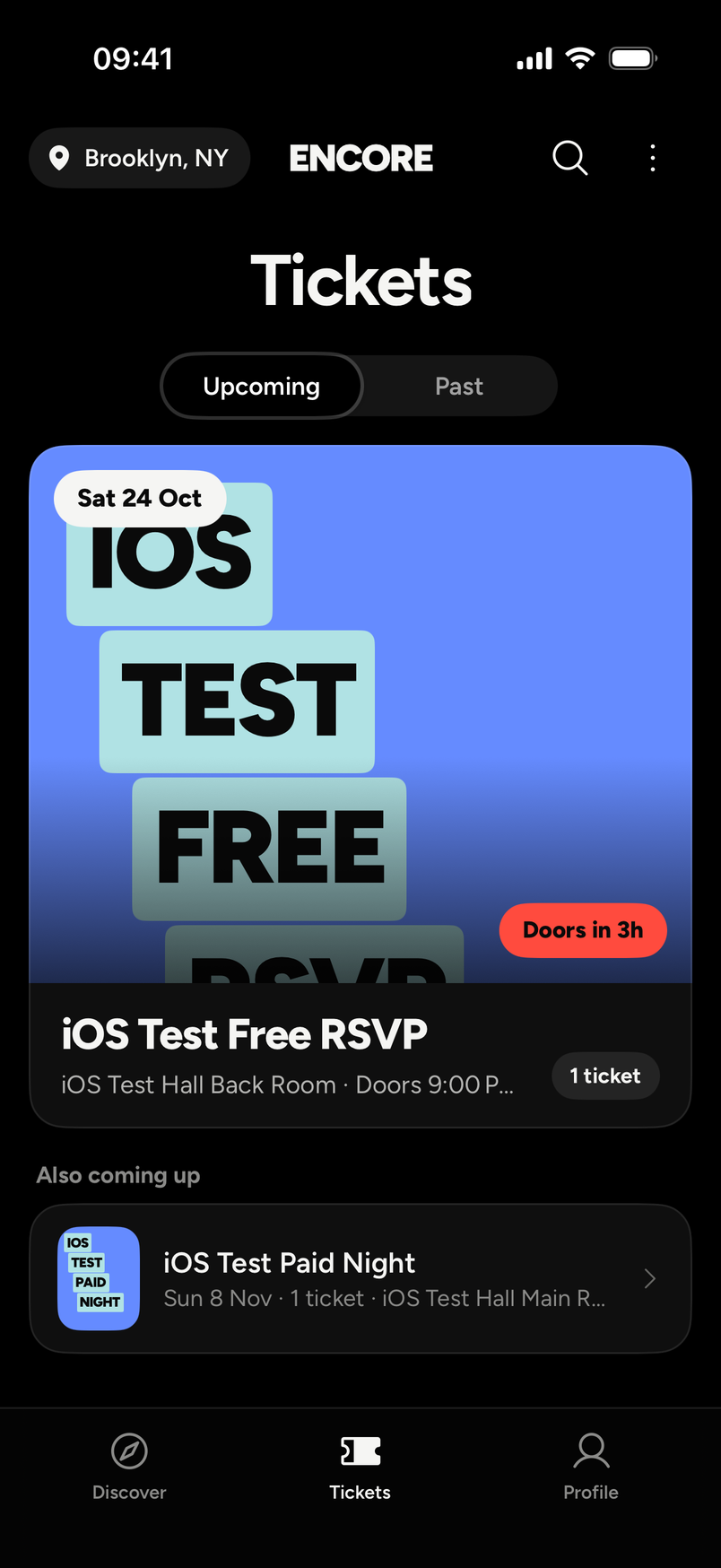
Your tickets are in the Tickets tab, the middle one of the three tabs at the bottom (Discover, Tickets, Profile). Each ticket has the QR code for the door.
What you see
- Upcoming shows events that haven't happened yet. Switch to Past for the ones that have.
- Each event shows its name, the venue and how many tickets you hold, like "1 ticket". When doors are close it says so, for example "Doors in 3h".
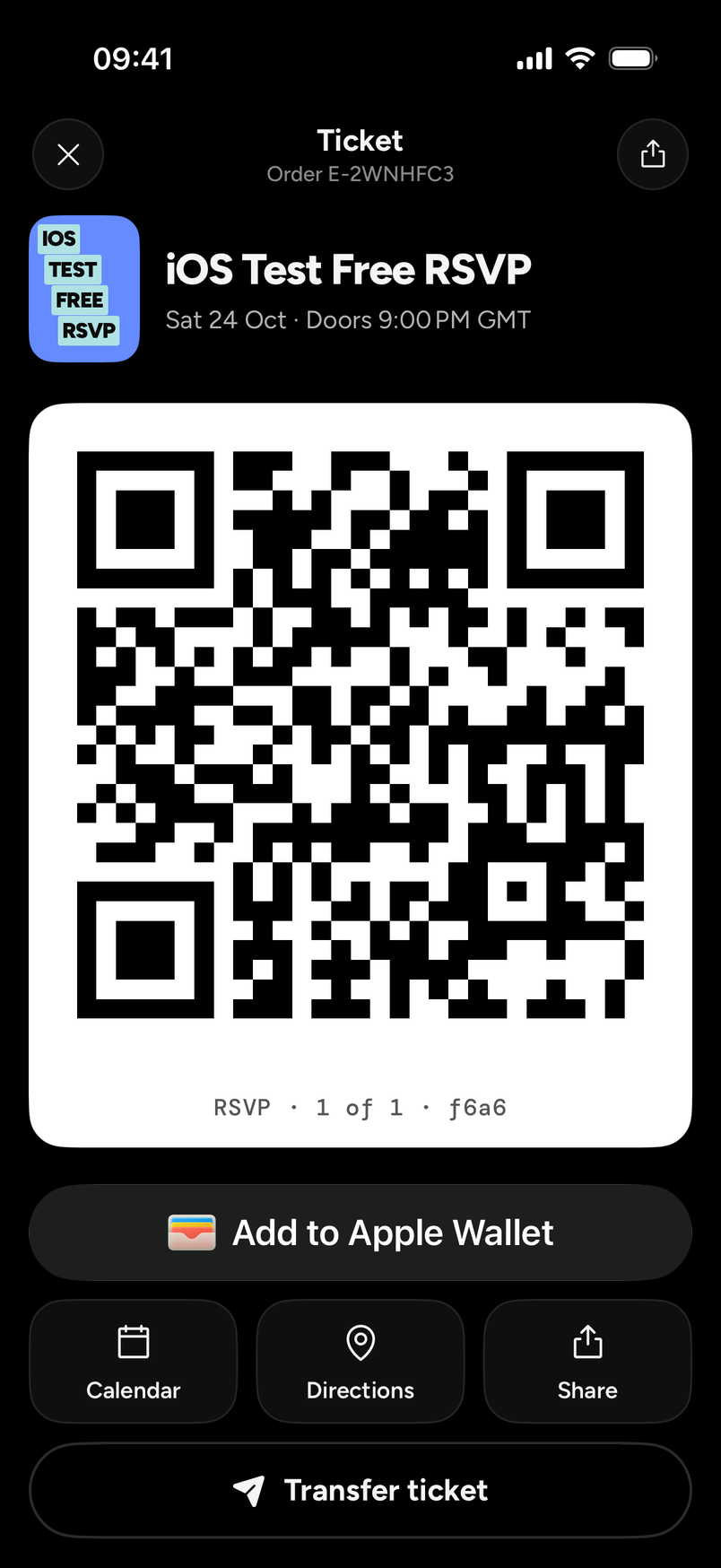
- Tap an event to open the ticket. It shows the event and date, your order reference (it looks like E-3K9WQ2M), and which ticket it is when you bought several, for example "1 of 2".
- The app draws the QR itself.
At the door
Open the ticket and show the QR code. Turn your screen brightness up. Each ticket lets in one person, once. If it has already been scanned, the scanner says ALREADY IN, so don't share a screenshot.
If the QR won't scan, see My QR code won't scan. Your ticket email has a text code that door staff can type in.
Apple Wallet
Under the QR there is an Add to Apple Wallet button. Tap it to save the ticket as a pass and show the pass at the door. The pass has the same QR code.
The same screen has Calendar and Directions buttons, and Share.
If your phone dies
Your ticket is in your email too. Open the email on a borrowed phone and show its QR code. See My phone died or I can't open the app.
Which tickets show up
- Tickets you bought while signed in.
- Tickets you bought as a guest on the website with an email address that's confirmed on your account.
- Tickets a friend sent you and you accepted.
Tickets someone else bought for you while they were signed in aren't in your app. They're in your email. A friend who sent you a ticket paid for it, so that ticket shows no order reference in your app.
A refunded or cancelled ticket leaves the list. A ticket you sent to a friend leaves it when they accept.
Your ticket email is your receipt. See Get a receipt for my order.