Buying tickets in the app
Pick your tickets, check the total, and pay with the phone's payment sheet. You need to be signed in to buy in the app.
Steps
- Open the event and tap to get tickets. The Choose tickets sheet opens. Use the plus and minus buttons to pick how many of each ticket type you want.
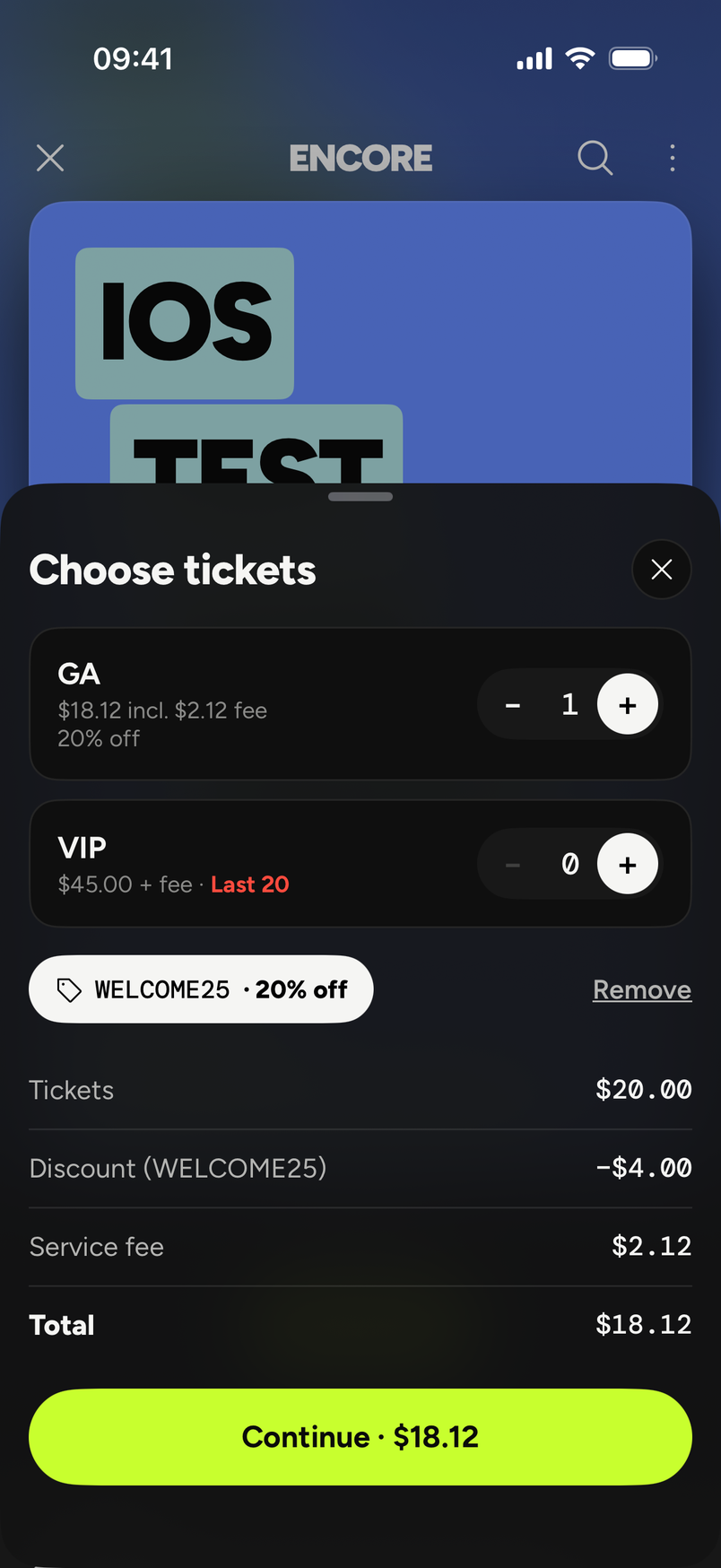
- The sheet adds up Tickets, Service fee and Total, and the button at the bottom says Continue with the total. Tap it.
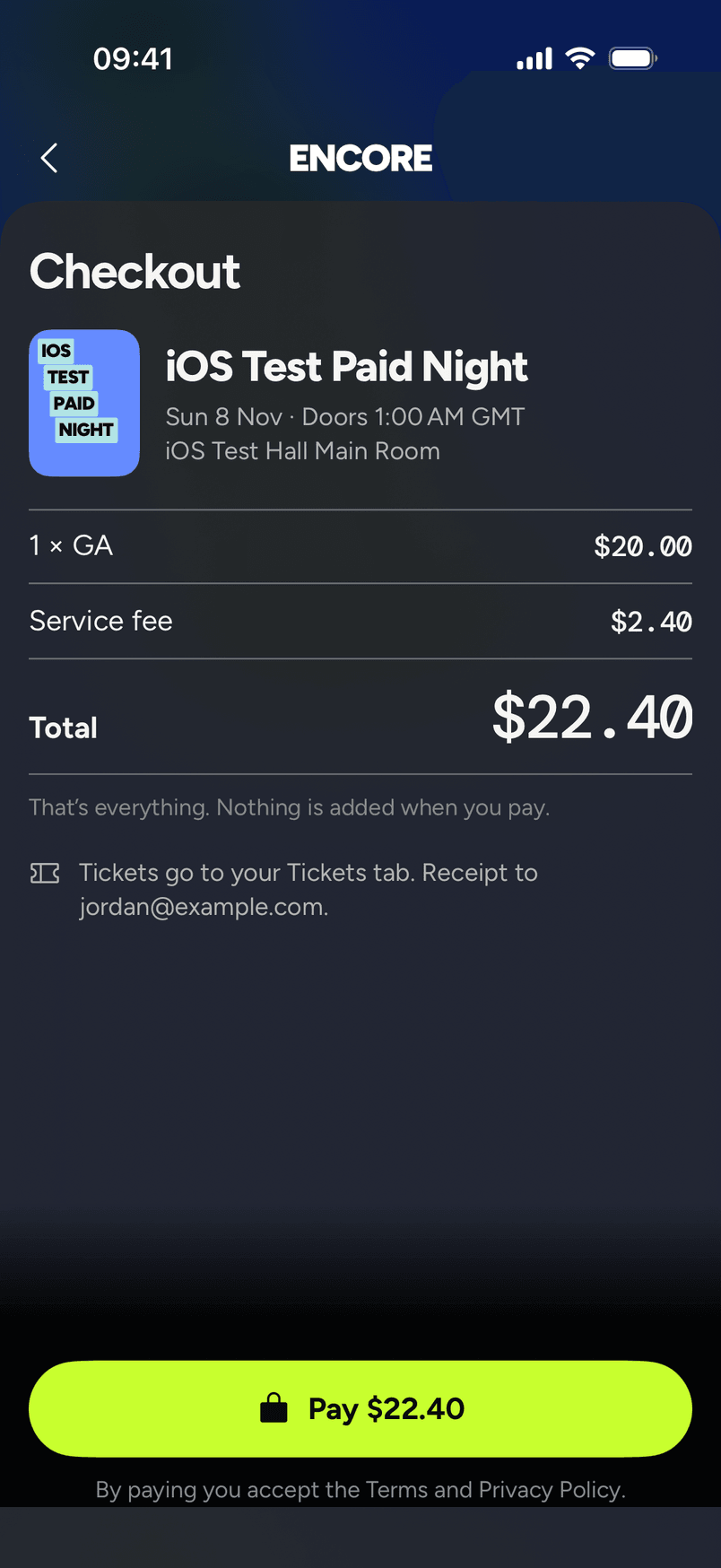
- Checkout shows your order: the event, each line like "1 × GA", the Service fee and the Total. Under it: "That's everything. Nothing is added when you pay." Tap Pay with the total on it.
- The phone's payment sheet opens. Pay there.
- Wait a moment. Your tickets appear in the Tickets tab once the payment is confirmed. Checkout tells you where they will go: "Tickets go to your Tickets tab", followed by the email your receipt goes to.
The fee
The service fee is 7% + $1 per paid ticket, added to the ticket price the organizer set. That's the only fee. Card processing is inside it, so there's no card line and the total on the screen is the total you're charged.
Our fee policy on the website says the service fee is non-refundable, except if the event is cancelled or postponed more than 6 months.
Promo codes
Add your code on the Choose tickets sheet before you continue. The app sends it to us and we work out the price. Once it's applied, a tag shows the code and what it takes off, like "20% off", with a Remove link. You'll see a Discount line with the code, and the service fee is worked out on the discounted price.
If the code doesn't work, the message says why: not valid for this event, not active yet, expired, fully used, no longer available, or not for the tickets you picked. You can still buy at full price.
If the code stops working between applying it and paying, you'll see "Your code can no longer be used. Remove it to continue at full price." Nothing is charged until you remove it and pay.
See Use a promo code.
Free tickets
Free tickets have no fee and no payment sheet. They're issued straight away. You can get up to 10 free tickets per event in a day. If a ticket type runs out while you're getting free tickets, the app says some of your tickets are in, and nothing is charged.
If something stops the sale
- Sales paused. "Sales for this event were just paused. You haven't been charged." The organizer paused sales. Try later.
- Sold out. Someone else's held or bought tickets count as sold. See How the waitlist works.
- Payments aren't set up. Payments can't be taken right now, on our side. Nothing is charged. Try again later.
If the payment sheet closed but no tickets appear, wait a minute and open the app again. The payment is only a sale once we confirm it. See I was charged but have no ticket.
Your receipt goes to your email. See Get a receipt for my order.