Undo a check-in
Checked in the wrong person? In the app, you can undo a check-in for 5 seconds after a good scan. The ticket works again, and we keep a record of both the check-in and the undo.
Undo in the app
- Scan the ticket. A good scan shows IN.
- At the bottom of the screen, the app asks "Wrong person?" and shows a 5-second count.
- Tap Undo before the count runs out.
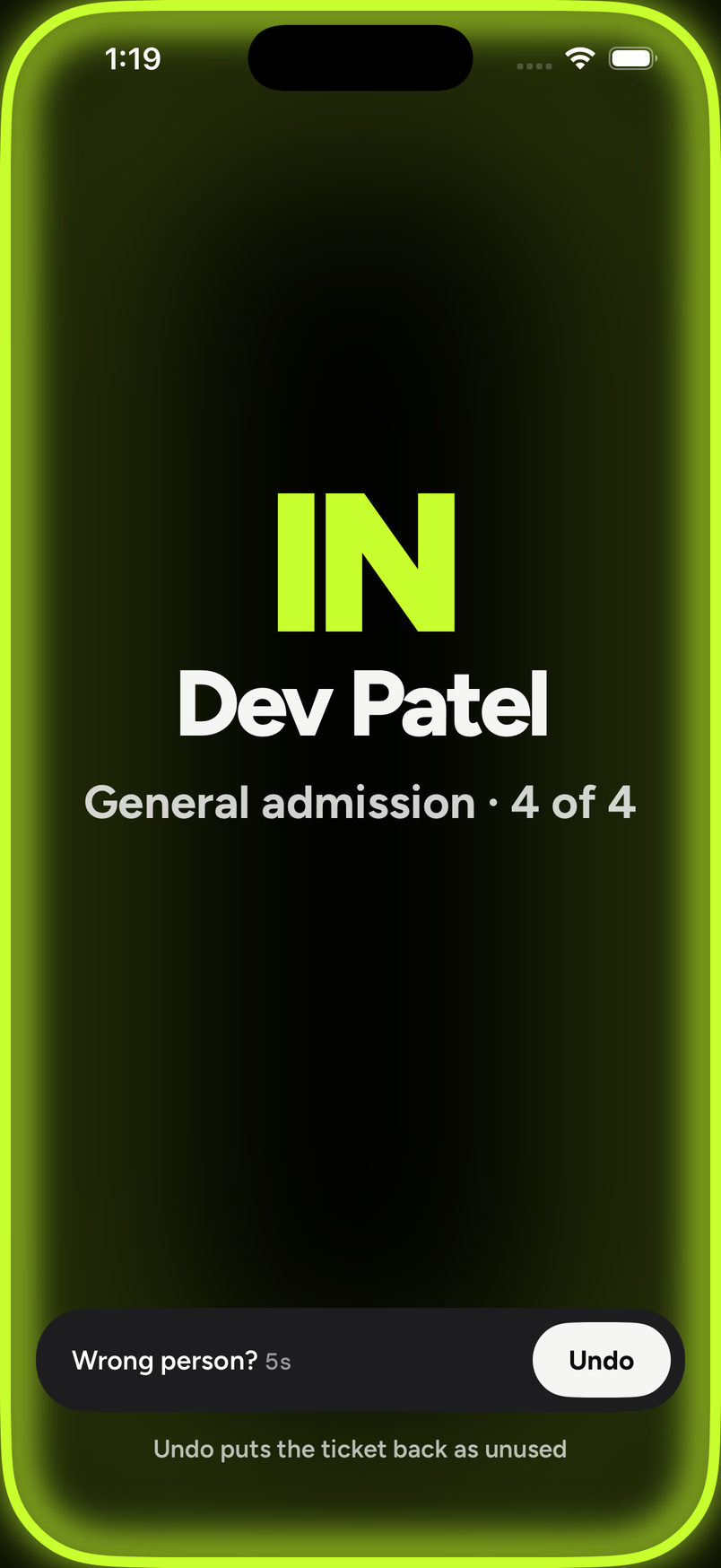
The line under the button reads "Undo puts the ticket back as unused". After an undo, the ticket can be scanned again.
The Undo button is only there for those 5 seconds. If Next scan by itself is on in the phone's Door settings, the next scan waits until the 5 seconds are up.
Door staff can undo a ticket once per event
If a ticket's check-in has already been undone once at this event, by anyone, door staff can't undo it again; an owner or admin can.
Good to know
- Undo needs a signal. A scan made with no signal can't be undone.
- Undo is in the app only. The web door and the dashboard can't undo a check-in.
- After an undo, the order in the dashboard shows the ticket as Active again instead of Scanned.