Scan and check people in with the app
Anyone on your team can scan from the app once they sign in with their own account. Owners, admins and door staff all get the scanner. Add people to your team first. See How do I add people to my team?
Door passes (the link and PIN for a one-night helper with no account) don't work in the app. A helper with a door pass scans on the website door instead. See Door PIN for one-night staff.
Start scanning
- Sign in and open the Door tab. You can also tap Door on an event's card in the Events tab.
- Choose tonight's event. This also saves the guest list on the phone, so scanning keeps working if the signal drops.
- Point the camera at the QR code on the fan's ticket: in the app, in their email or in their wallet pass.
The scanner has a Torch button for the light and a Guests button for the guest list, so you can look someone up.
What the bands mean
The whole screen turns one colour and shows a big word.
| Band | What it means | What to do |
|---|---|---|
| IN | Checked in | Let them in |
| ALREADY IN (red) | Scanned before. Shows when and on which phone | Stop them, and check the ticket is theirs |
| NOT FOUND (red) | No ticket matches this code | Look them up in Guests before turning them away. Ask for the ticket from their email |
| WRONG NIGHT | A ticket for another of your events | Don't let them in. Tell them which night the ticket is for |
| REFUNDED | The ticket was refunded | Don't let them in. Send them to the organizer |
| TRANSFERRED | The ticket was given to someone else and replaced | Don't let them in. Ask for the new ticket |
| CHECK AGAIN | The phone couldn't reach us. Not a verdict on the ticket | Scan again. Never turn someone away on this |
| NO ANSWER | The scan was sent and nothing came back. Not a verdict on the ticket | Scan again. If the first scan did go through, the second shows ALREADY IN |
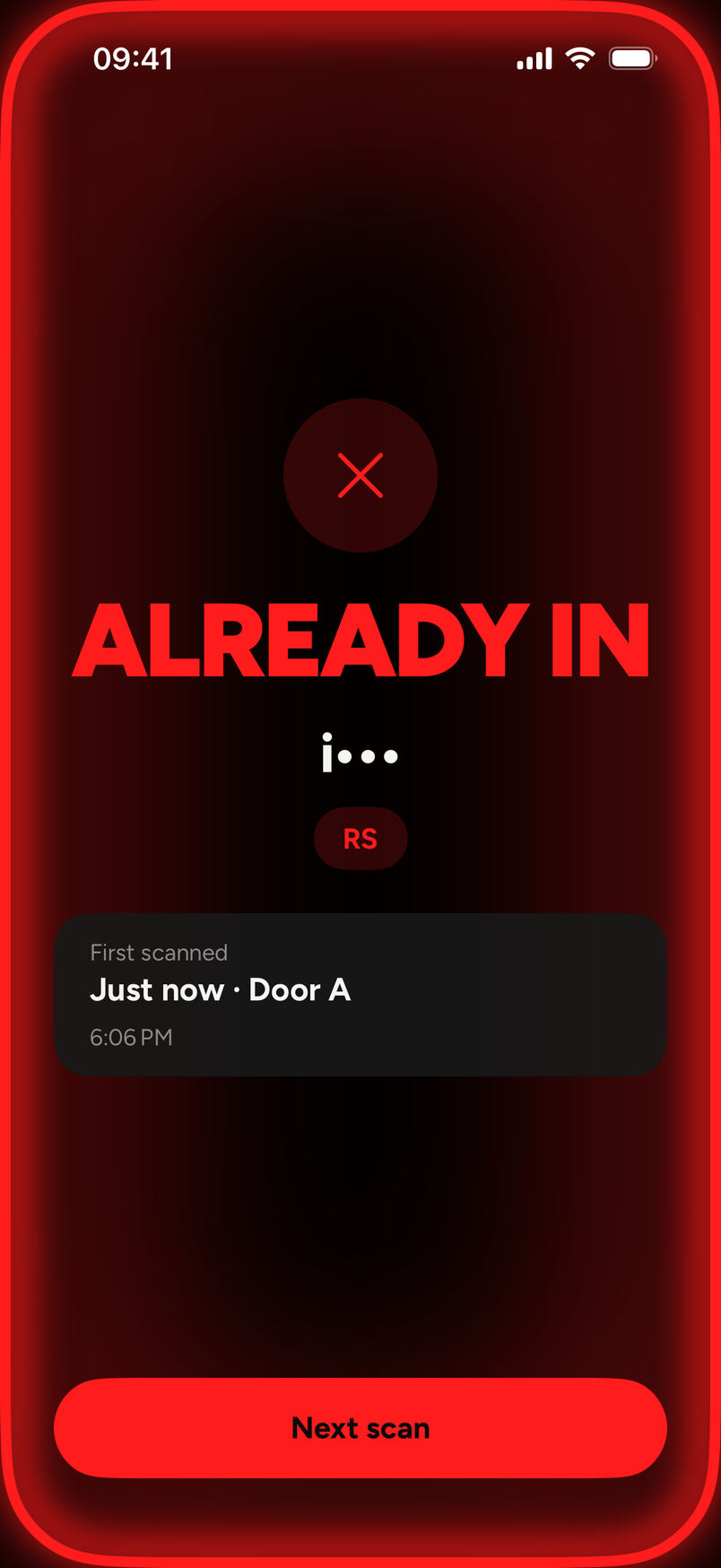
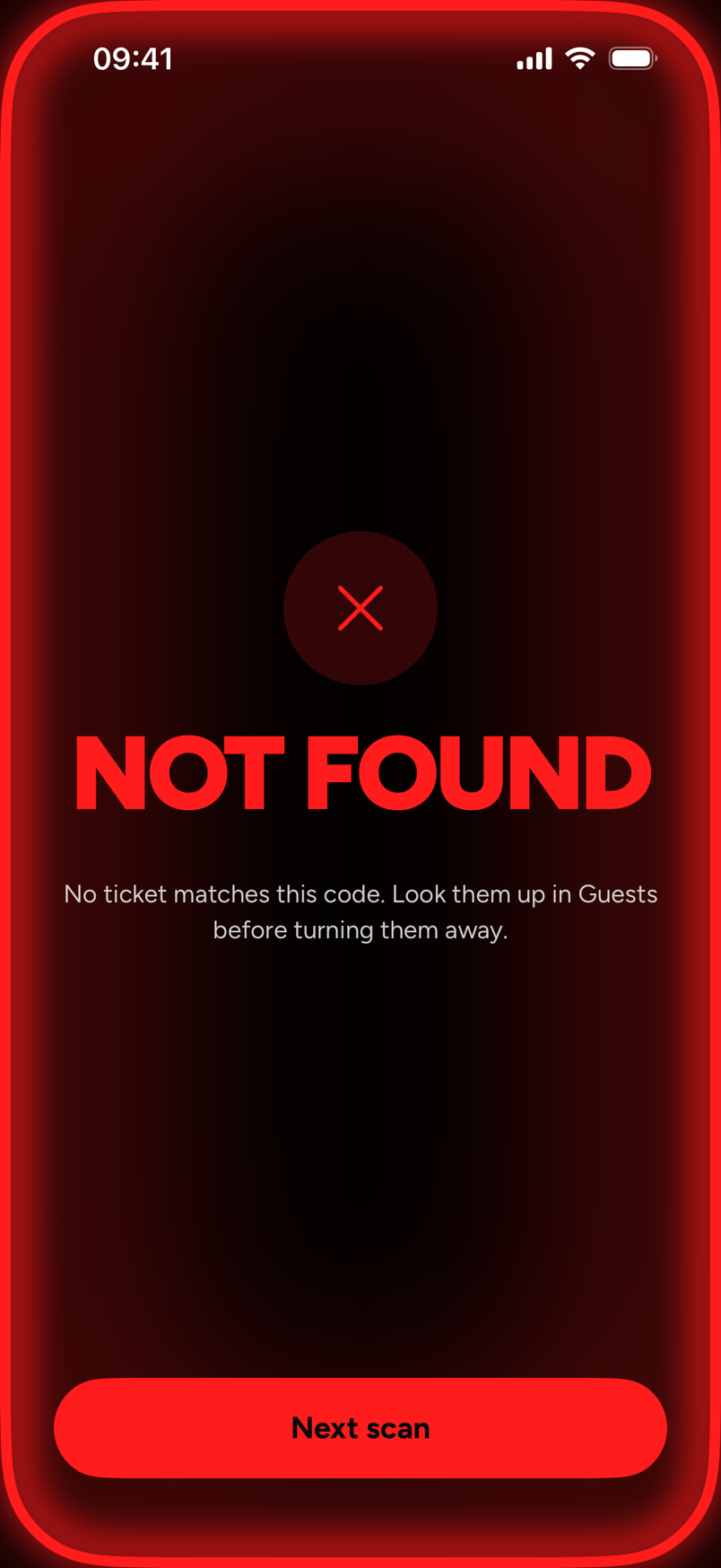
ALREADY IN and NOT FOUND both carry a Next scan button to get ready for the next person.
Door staff see only part of each buyer's email, like j•••@gmail.com. Owners and admins see the whole address.
When the QR won't scan
The app can't check someone in by hand. Check-in in the app is by scan only, and the guest list is for looking people up, not for checking them in. There is no undo in the app either.
- Ask the fan to open the ticket from their email, or turn their screen brightness up, and scan again. See My QR code won't scan.
- The web door has a Type a code instead option for the text code in a ticket email. See Scan tickets with the app or the web door.
Scanning with no signal
Pick the night while you still have a signal. The guest list can be saved from 24 hours before the event, and it stays good until the door closes, at most 36 hours.
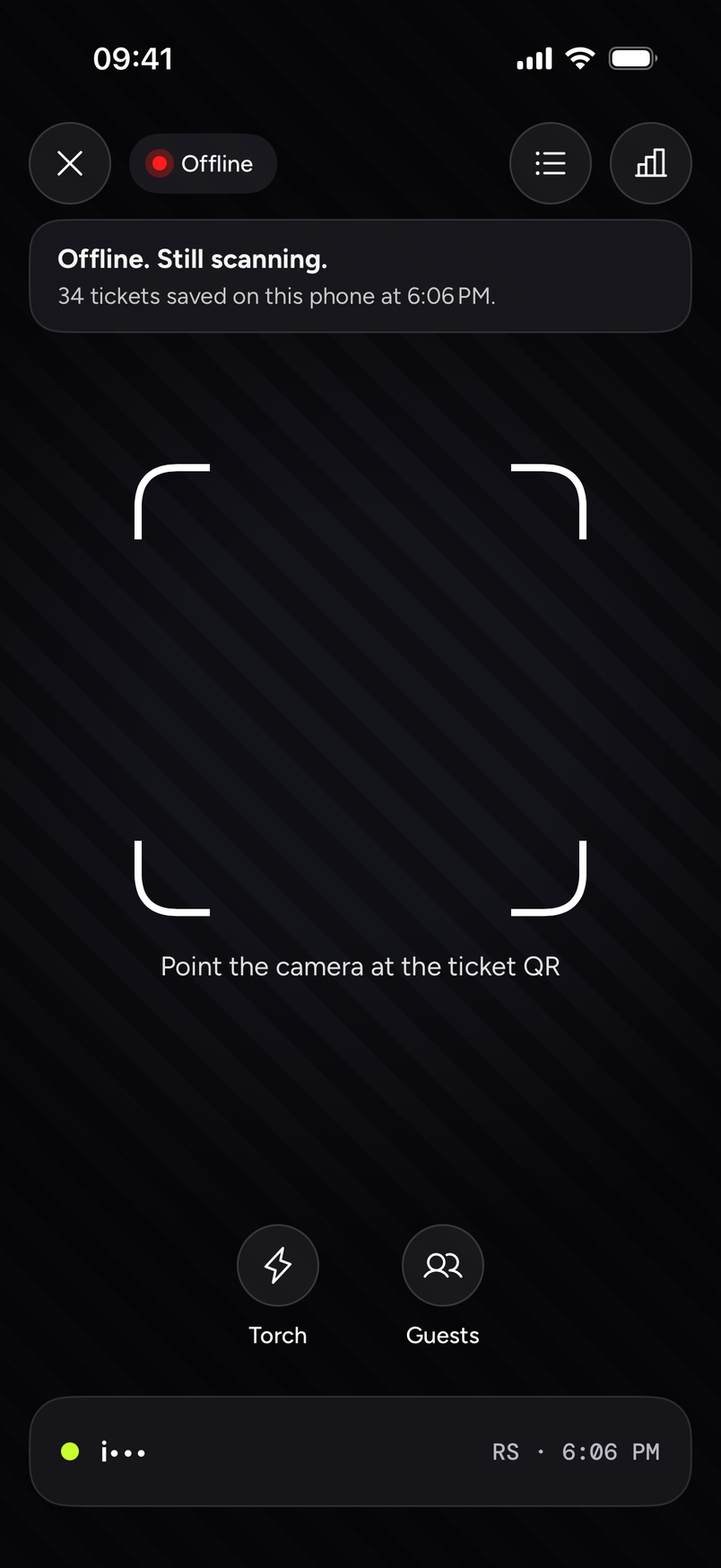
- Offline, the tag at the top says Offline and a banner says "Offline. Still scanning." with how many tickets are saved on this phone and when.
- A ticket on the saved list is let in as usual, and the scan is saved on the phone and sent when the signal is back.
- NOT ON LIST means the ticket isn't on the list this phone saved. It usually means the ticket was bought after the phone last synced. Don't call it fake. Send them to the box office or check them once you have a signal.
- You may also see PAUSED. Read the line under it, and ask the owner if it isn't clear.
- When the signal returns, saved scans send by themselves.
- Don't sign out with unsent scans. The app asks you about them when you sign out.